
If you’ve been researching how much to build a golf simulator, you’ve probably noticed something frustrating:
Prices are all over the place.
Some setups cost $3,000, others go well beyond $50,000+—and somehow, both claim to be “accurate.”
So what’s the truth?
This guide breaks down real-world costs, what actually matters, and what you should avoid—whether you’re building a home setup or planning a commercial indoor golf space.
Quick Answer: What Does It Really Cost?
Here’s a realistic breakdown based on today’s market:
- Basic home setups: $3,000 – $10,000
- Serious home simulators: $10,000 – $25,000
- Professional / commercial systems: $20,000 – $60,000+
👉 The key difference isn’t just price—it’s accuracy, durability, and data quality.
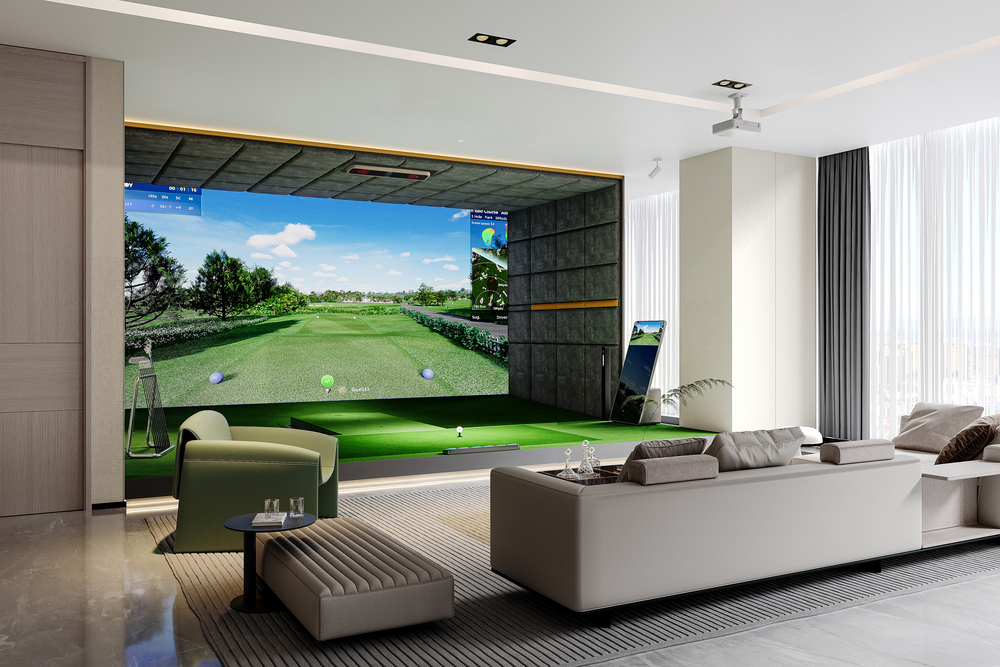
What Actually Drives the Cost? (Most People Miss This)
A golf simulator isn’t just one product. It’s a system.
1. Launch Monitor (The Core Investment)
This is where most of your budget goes—and where mistakes happen.
Lower-end systems:
- Limited data
- Inconsistent spin readings
- Not suitable for real improvement
Professional systems:
- 27–42 data points per shot
- Spin, launch angle, club path, face angle
- Accuracy within ~1% error margin
👉 This is the difference between a game and a real training tool.
2. Simulator Hardware Setup
A full setup usually includes:
- Impact screen (commercial-grade: 30,000+ shots lifespan)
- Projector (HD / 4K)
- Hitting mat & turf
- Enclosure system
- High-performance PC
For 4K simulation, you’re typically looking at:
- RTX 3070+ GPU
- 16GB+ RAM
- Solid CPU (i5-10600 or above)
👉 Many buyers underestimate this part and end up bottlenecking performance.
3. Software & Subscriptions
Modern simulators are powered by software—not just hardware.
What you get:
- 4K course rendering
- 100+ real-world courses (Pebble Beach, etc.)
- Practice modes + analytics
- Online multiplayer
Most platforms run on annual subscriptions, but flexibility matters.
Better systems today support:
- GSPro
- E6 Connect
- Creative Golf
👉 Open compatibility = future-proof investment.
4. Installation & Space
Here’s what you actually need:
- Width: ~12.5 ft (3.8m)
- Height: ~9 ft (2.8m)
- Depth: ~18–19 ft (5.7m)
The Real Cost Insight: Accuracy vs Price
For years, the rule was simple:
The more accurate the simulator → the more expensive it is
That’s no longer entirely true.
Newer camera-based systems (like multi-camera + AI tracking) are changing that.
Today, you can get:
- Near tour-level accuracy
- Full data tracking
- At a mid-range price
👉 This is where brands like GOLFJOY are positioning themselves differently.
Real-World Example: Where GOLFJOY Fits
Instead of forcing buyers into two extremes (cheap vs ultra-premium), GOLFJOY sits in the middle:
- Professional-level accuracy (~1% error margin)
- Up to 42 data points
- Overhead-mounted system (less wear & tear)
- Compatible with major software platforms
- Commercial-grade durability (30,000+ shots)
They also offer tiered systems (S100–S500), which is useful if:
- You’re building a home setup
- Or scaling a multi-bay commercial facility
👉 This flexibility is something many legacy brands don’t offer.
Commercial ROI: Why Businesses Are Investing Now
This is where things get interesting.
Indoor golf is no longer just practice—it’s entertainment + business.
Real examples:
- 24/7 unattended simulator venues
- Golf lounges with hourly rentals
- Multi-bay training academies
What matters most:
- Durability (high shot volume)
- Low maintenance
- Reliable tracking (no recalibration issues)
👉 A good system doesn’t just cost money—it generates it.
Common Mistakes to Avoid
If you’re building a simulator, watch out for these:
1. Buying based on price alone
Cheap systems often get replaced quickly.
2. Ignoring data accuracy
If spin data is wrong → practice is meaningless.
3. Closed software ecosystems
Limits long-term usability.
4. Underestimating space requirements
This kills many home setups.
So… How Much Should You Spend?
Here’s a simple way to think about it:
- Casual use / entertainment: $5K–$15K
- Serious home practice: $15K–$30K
- Coaching / commercial use: $20K+
👉 The “right” budget depends on how seriously you want to use it.
Final Thoughts
The golf simulator market in 2026 looks very different from a few years ago.
You no longer have to choose between:
- Expensive and accurate
- Affordable but limited
There’s now a middle ground where:
- Accuracy
- Experience
- Cost
…actually make sense together.
And that’s why more homeowners, coaches, and business owners are getting into indoor golf now than ever before.
https://golfjoyamerica.com/
GOLFJOY
